Laiye ADP-CLI: Empower Your Agent with Enterprise Document Processing Skills That Actually Work

Transforming Invoices, Logistics Docs, and Beyond with Laiye ADP-CLI
Finance teams digging through inboxes for supplier invoices at 5 p.m. Logistics clerks still manually reconciling shipping documents at 9 p.m. Checking emails, downloading attachments, copy-pasting data, reconciling fields, re-checking everything again because a single typo can break a trip, delay customs clearance, or sour a supplier relationship.
Most of these tasks are not complicated. But they are repetitive, time-consuming, error-prone, and they happen every single day.
Now imagine cutting through all of that with a single sentence.
Laiye ADP-CLI brings enterprise-grade document processing capabilities to any AI agent platform, offering batch processing, high accuracy across 100+ languages, and robust table extraction. With the newly released ADP-CLI skills, two high‑impact scenarios, global invoice entry and logistics document verification, which can be fully automated end to end.
What Makes Laiye ADP-CLI Different?
This isn’t about adding another portal or forcing people to learn a new system. Laiye ADP-CLI embeds agentic document processing directly into the tools people already use. Start a task with one sentence: document extraction, cross‑field validation, data entry, snap a photo with your phone, or send a quick message. Either way, that information gets collected, structured, and delivered exactly where it needs to go.
Scenario 1: Cross‑Border Invoice Processing
For companies with global operations, finance teams spend hours each day digging through overseas supplier emails, opening each one, downloading the PDF, extracting supplier names, invoice numbers, amounts, currencies, dates, purchase order references, and keying them into ERP systems or Excel.
Processing 30 emails per day at an average of five minutes each results in approximately 2.5 hours of data entry work. During month‑end closing peaks, the volume intensifies. Human errors, such as missing attachments, skipped fields, or incorrect currency selection, can lead to payment delays and adversely affect supplier relationships.
With Laiye ADP-CLI, the finance professional simply says:
“Pull all today’s overseas invoices into Excel.”
The agent automatically scans emails, locates attachments, extracts all key fields, runs cross-validation, and produces a consolidated summary report.
Why It Works for Global Finance Teams:
- Supports 100+ languages, including mixed‑language invoices with complex formatting
- Full‑loop automation: check email → find attachments → download → extract → validate → output structured data
- Batch processes dozens of emails and attachments at once, no per‑item manual handling
- Outputs structured results ready for direct import into ERP or other systems
- Embeds into existing workflows; finance teams never need to leave their current tools
Examples:
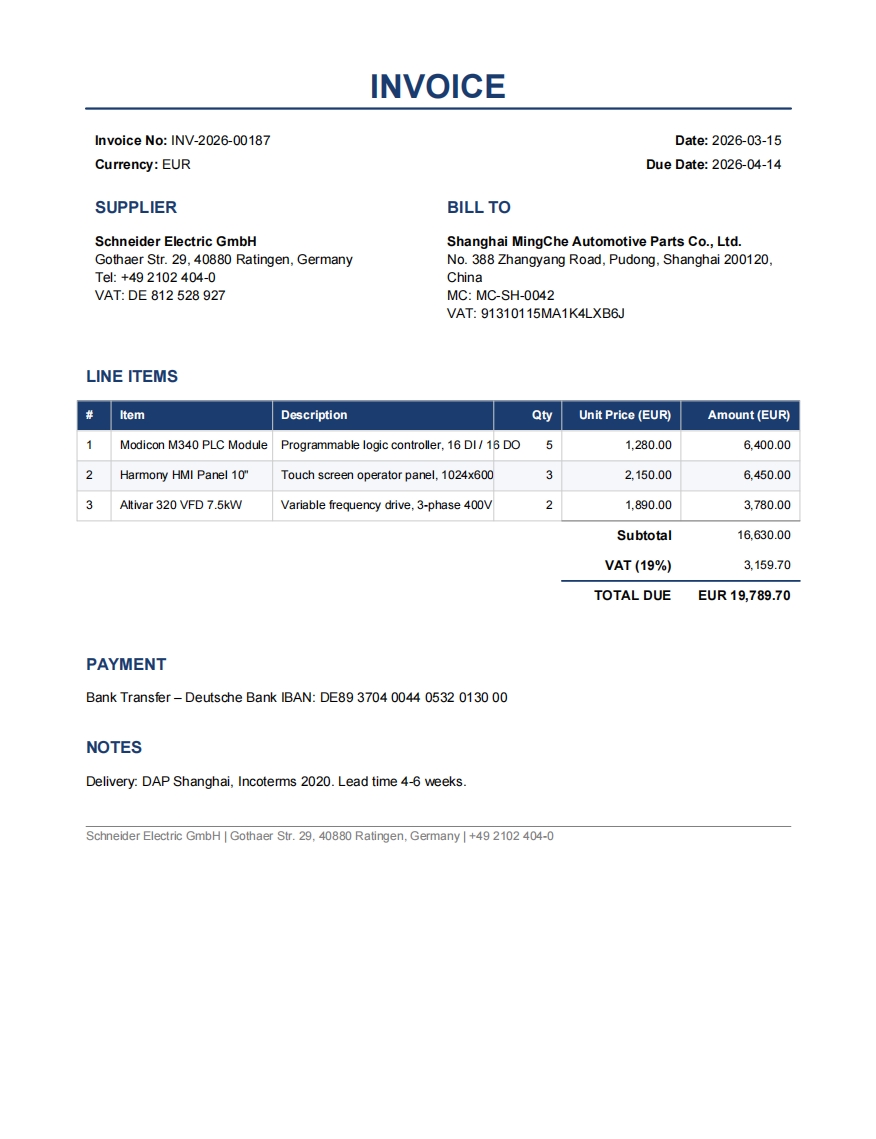
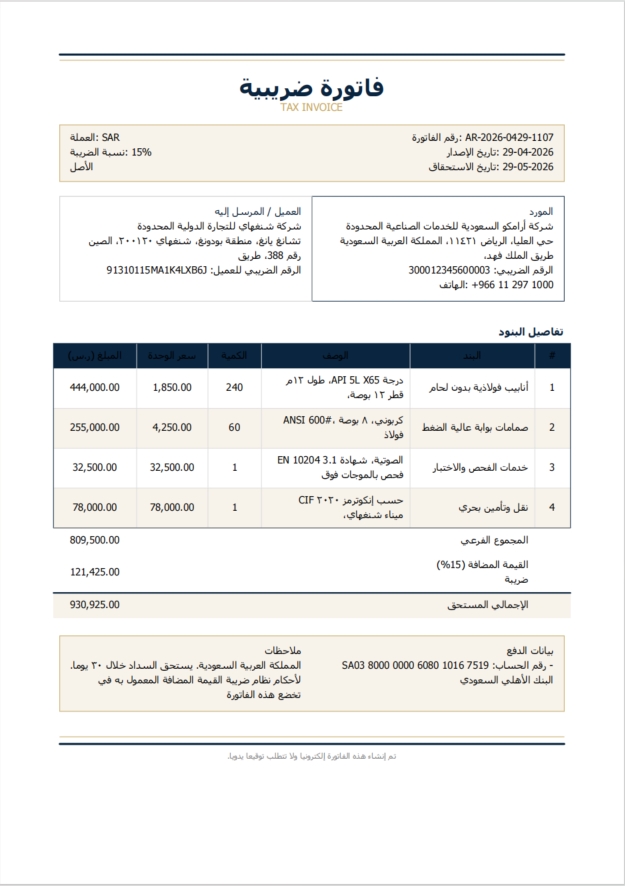
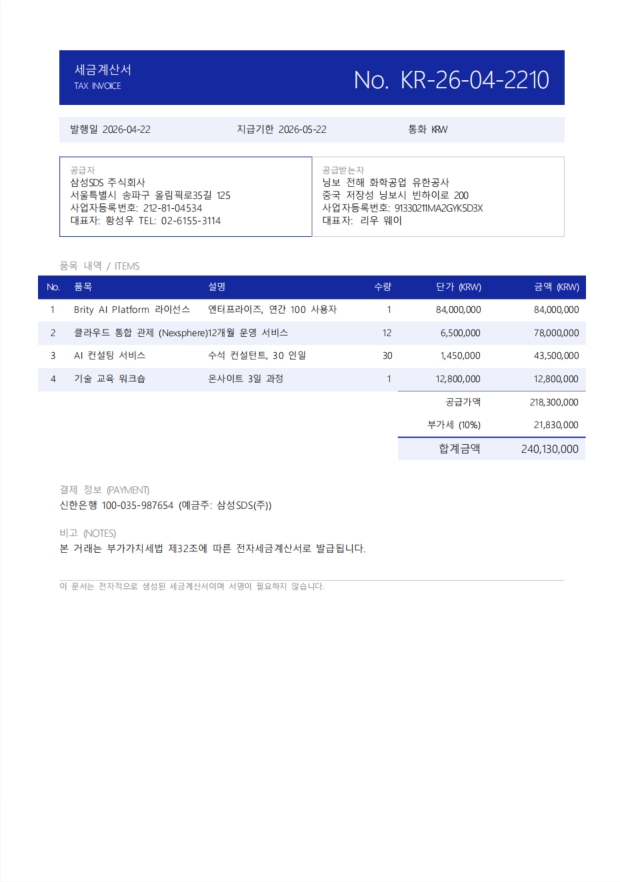
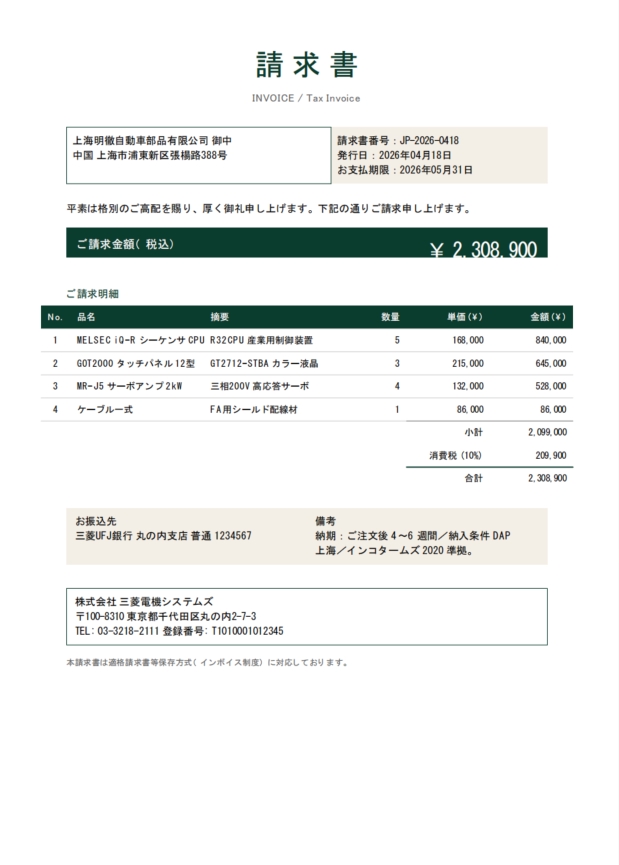
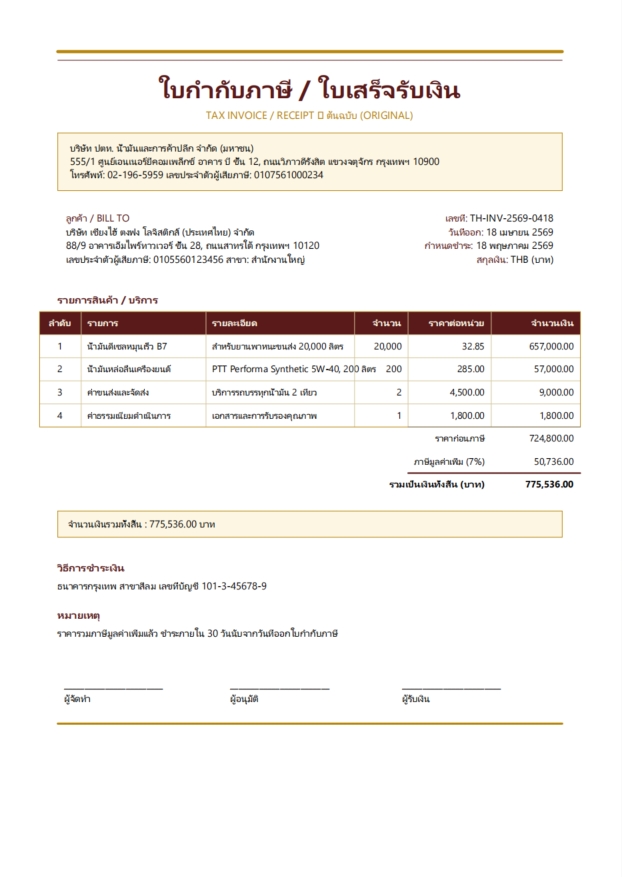
Demo: Use OpenClaw to automatically retrieves attachments from Gmail and consolidates extracted data into Excel
Scenario 2: Logistics Multi‑Document Verification
In trade and logistics, a document clerk’s day is built around matching. Invoices, packing lists, shipping orders, bills of lading, delivery receipts. Each document opened one by one. Shipper and consignee details checked against each other. Product SKUs, quantities and weights verified across five different files. Line by line.
A skilled clerk handles one shipment in 5 to 10 minutes. At 100 shipments per day, that’s 8 to 16 hours, this is often done under crushing deadline pressure because customs won’t wait. Rushing inevitably leads to mistakes: wrong shipment sent, customs held up, clients angry, re‑billing paperwork dragging on for weeks.
With Laiye ADP-CLI, the logistics clerk simply says:
“Check these documents for shipper and consignee consistency and goods details.”
Minutes later, ADP has parsed every document, pulled every relevant field, run the comparisons, and returned a clean exception report highlighting only the mismatches. The clerk reviews only what needs attention.
How ADP Simplifies Logistics Work:
- Processes multiple documents with different formats in a single batch
- Embeds natively into agent platforms like Slack, or Teams, using natural language triggers full automation from parsing to extraction to reconciliation
- Zero configuration for new document types; just describe what to check
Agentic Document Processing That Meets Business Where It Lives
Whether it’s finance invoice entry or logistics document matching, Laiye ADP-CLI works across a wide range of agent platforms, including:
- OpenClaw
- Claude
- Any internal enterprise agent platform
- Local private‑deployment
Business users start tasks with natural language from their existing workspace. No system switching. No steep learning curves.
Laiye ADP is not just an AI tool. It is a capability. A capability that embeds directly into real business processes, automates work people actually need done, and delivers measurable outcomes: less overtime for finance teams, shorter days for logistics clerks, lower error costs for enterprises, and faster operational cycles across the board.
The work businesses do every day is exactly the work worth automating.
How to Get Started
Laiye ADP-CLI is fully packaged as an out‑of‑the‑box Skill, ready to use across major agent platforms with a single installation command.
1. OpenClaw & Claude:
For example: Install the Skill directly within OpenClaw:
openclaw skills install agentic-doc-parse-and-extract2. Local & Internal Enterprise Agent Platforms:
- Run ADP-CLI commands directly on the server—supports Windows, Linux, and macOS (x64 and arm64 architectures)
- Download the CLI Skill package from GitHub, NPM, or PyPI and add it to your agent platform
- GitHub: github.com/laiye-ai/adp-cli
- NPM: npmjs.com/package/@laiye-adp/agentic-doc-parse-and-extract-cli
- PyPI: https://pypi.org/project/agentic-doc-parse-and-extract/