
Laiye APA Creator V1.3.0 Release: One-Click Migration from RPA to APA

Laiye today announced the release of APA Creator V1.3.0, introducing one-click migration from traditional RPA workflows to APA (Agentic Process Automation) workflows.
The new release enables users to migrate existing RPA bots into AI-maintainable workflows that business teams can understand, update, and manage through natural language interactions.
Key Feature: RPA Project Migration (RPA to APA)
APA Creator V1.3.0 migrates legacy RPA workflows into:
- Natural language business documentation
- APA workflow file which is editable via AI conversation
The migration process is compatible with Laiye RPA 5.x and 6.x workflows and typically completes in under five minutes.
After migration, users can:
- Review workflow logic in readable document
- Modify and maintain workflows with AI, using natural language instructions
- Reduce dependency on manual code changes for routine updates
How migration works: example
In traditional RPA environments, UI changes such as relocated buttons or updated page layouts can cause workflow failures that require developer intervention.
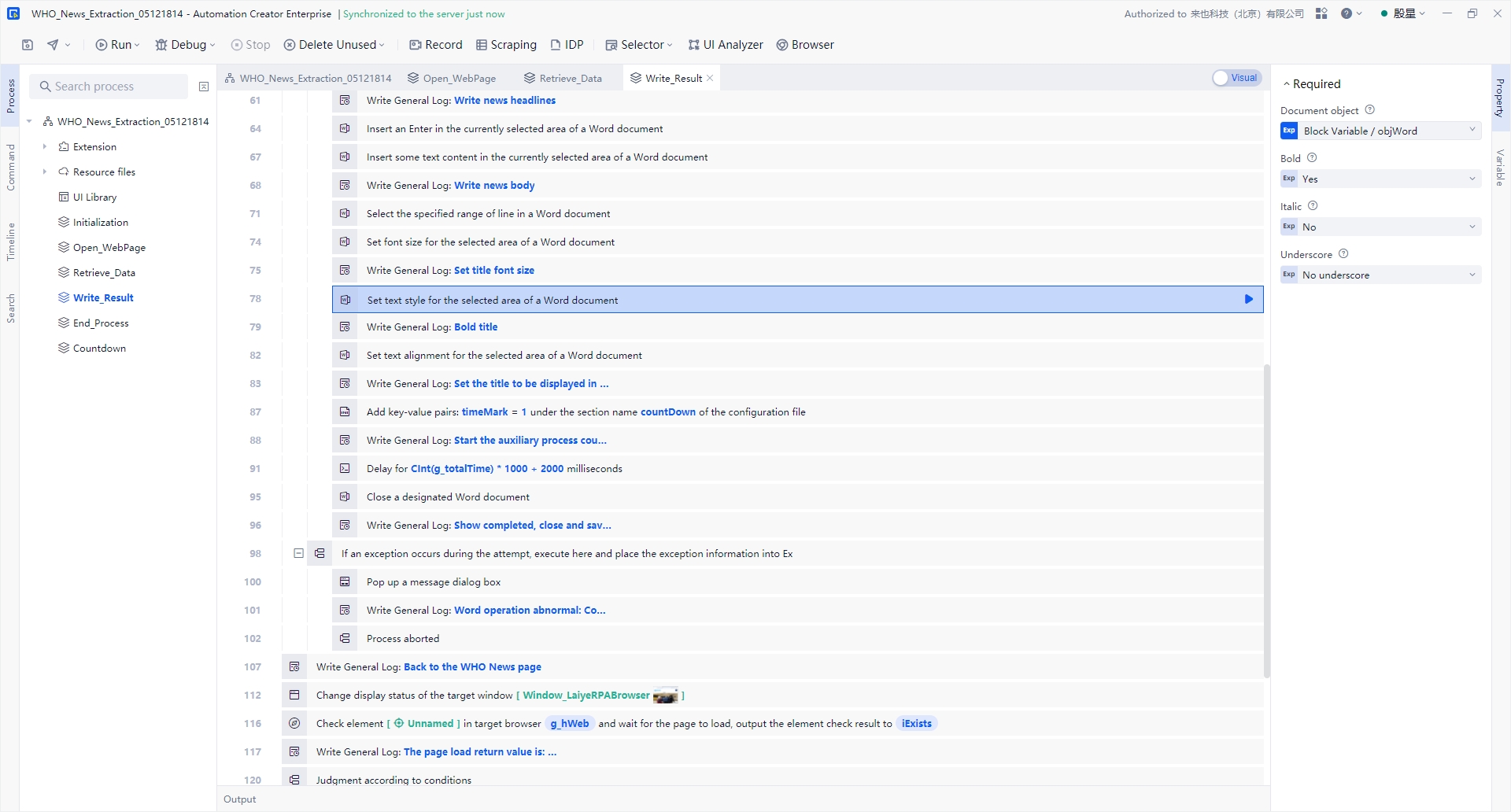
With APA Creator 1.3.0, migrated workflows can be updated through AI-driven maintenance. Users can describe required changes in natural language, and the system automatically adjusts the workflow accordingly.
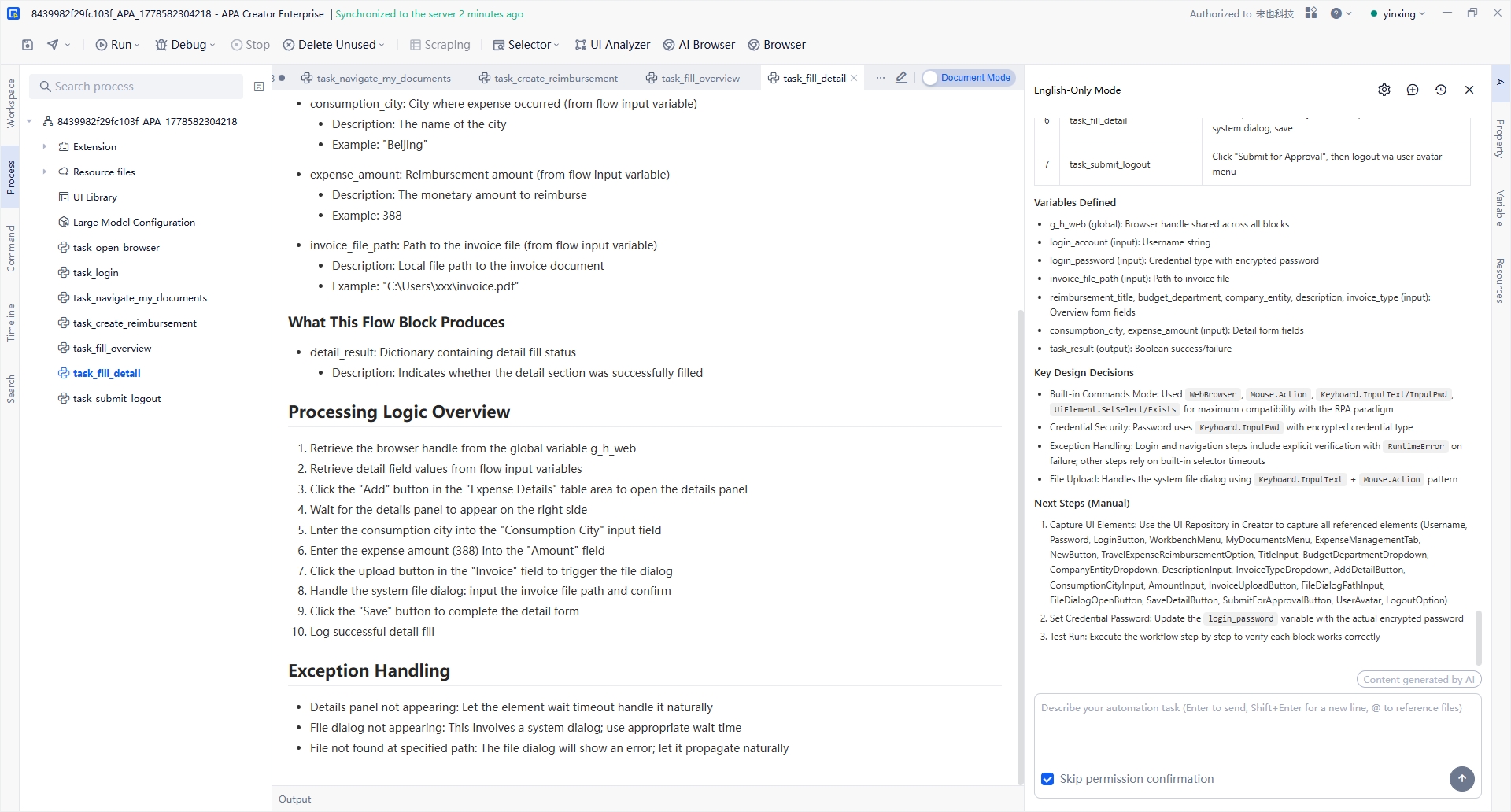
Example instruction:“Update the workflow to export reports into three desktop folders.”
The AI assistant then modifies the workflow structure and validates the updated process automatically.
4 Key Benefits
1. Simplified Workflow Maintenance
Now APA Creator enables business users to review workflow documentation directly, initiate change requests through AI chat, and complete updates without coding knowledge
2. Faster Response to Business Changes
Business process updates that previously required multi-day development cycles can now be completed within minutes through AI-assisted workflow modification.
3. Improved Engineering Efficiency
Routine maintenance tasks can be handled by operational teams, allowing automation engineers to focus on complex workflows and strategic automation initiatives.
4. Revitalize Legacy Automation Bots
Existing RPA assets can be migrated into reusable and continuously maintainable APA workflows, reducing the risk of workflow abandonment caused by high maintenance costs.
How to Use the Migration Feature
- Open APA Creator and select RPA Project Migration
- Choose an existing RPA workflow folder
- Start automatic migration
- Review the generated business documentation and APA workflow
Availability
The one-click migration feature is now available for Community Edition users and will be released for Enterprise Edition users in an upcoming update.
Get Started Today
Download the Latest APA Creator Version
Have questions? Join our community Discord